
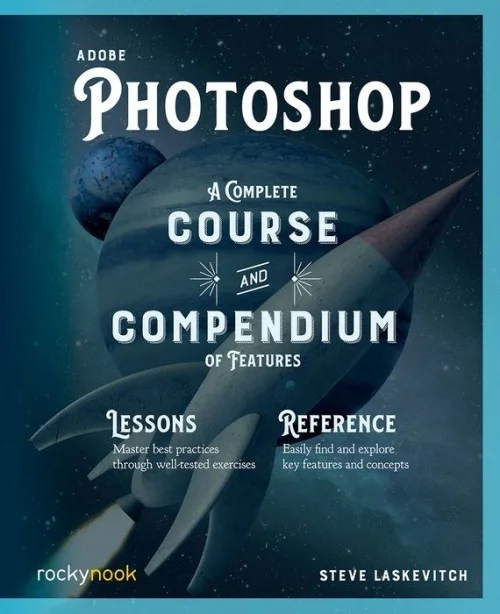
Adobe Photoshop
Original price was: $22.99.$16.99Current price is: $16.99.
Description
Adobe Photoshop: A Complete Course and Compendium of Features is your guide to creating, editing, and enhancing images and designs in Adobe Photoshop. Whether you’re retouching a photograph, making a simulated chalk drawing, or creating a composite photo with a 3D drawing, Photoshop is the tool for you–and this book will teach you what you need to know.
First, with a complete Course that includes a set of projects and lessons derived from Adobe Certified Instructor Steve Laskevitch, you will learn the procedures needed to use Photoshop effectively and professionally. Dozens of lessons are included that can be applied to any graphics you have in mind. Through these step-by-step lessons, you’ll be exposed to all of Photoshop’s features in practical contexts and its best practices for optimal workflows. To complete the Course, we’ll supply lesson documents and their assets to download. These can even serve as starting points for your own projects.
Then, for greater depth of knowledge and subsequent reference, you’ll use the Compendium to uncover more of the “how” and “why” of Photoshop. With each topic easy to access, you can find and explore all of Photoshop’s key features and concepts in depth. With cross references between the Course and Compendium, the two parts of the book complement each other perfectly. Best of all, when the lessons in the Course are done, the Compendium will continue to serve for months and years to come.
Learn step by step how to: – Set up an ideal workspace- Master selections and masks- Work with type and brushes- Use blend modes for combining images- Take advantage of Smart Objects- Become more efficient and effective with actions and scripts- And much more!2021 Photoshop Update: Download an addendum covering the 2021 Adobe Photoshop update along with the supplied Course files for the book. See the book’s Introduction for a link to downloadable resources webpage.
Only logged in customers who have purchased this product may leave a review.
Related products
-
Sale!

Crafts & Hobbies, Furniture & Cabinetry, Reference, Woodwork
The Woodworker’s Kitchen
Original price was: $18.99.$13.99Current price is: $13.99. -
Sale!

Health, Reference
Where Women Have No Doctor
Original price was: $9.99.$7.99Current price is: $7.99. -
Sale!

Asia, General, History, International Relations, Political Science, Reference, Terrorism, World
Kashmir
Original price was: $18.99.$13.99Current price is: $13.99. -
Sale!
History, Philosophy, Politics, Reference, Science
The History of Philosophy
Original price was: $9.99.$7.99Current price is: $7.99.




Reviews
There are no reviews yet.